
How to Set Up Google Ads Conversion Tracking Correctly
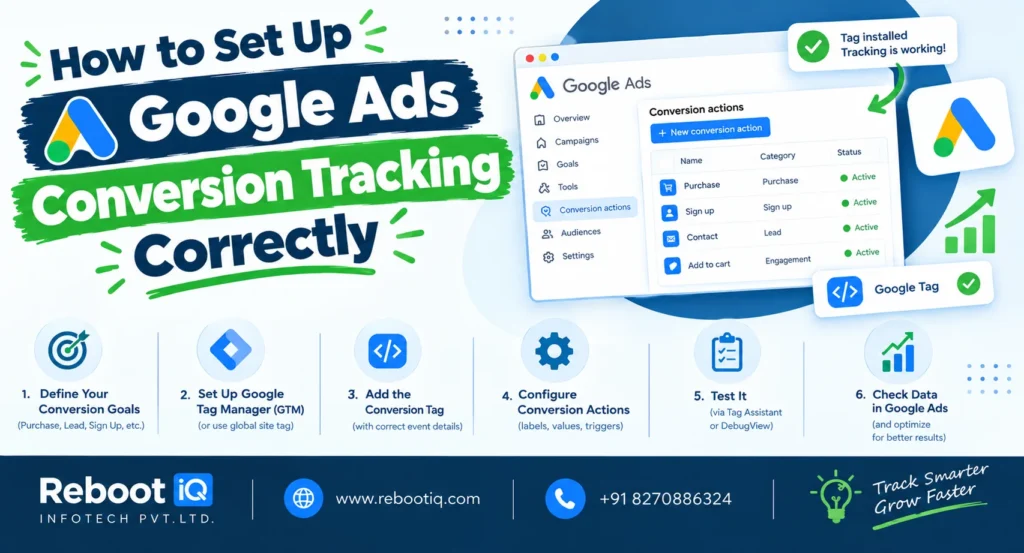
Google Ads can drive significant traffic and leads to your business, but without proper measurement, it is impossible to know which campaigns are delivering results. This is why Google Ads Conversion Tracking is essential for every advertiser.
Google Ads Conversion Tracking allows businesses to measure valuable actions users take after clicking an advertisement. These actions may include purchases, contact form submissions, phone calls, newsletter sign-ups, or quote requests. By tracking conversions, advertisers can evaluate campaign performance and improve return on investment.
The first step in setting up Google Ads Conversion Tracking is creating a conversion action. Inside your Google Ads account, navigate to Goals and select Conversions. Click Create Conversion Action and choose the appropriate source such as website, phone calls, app, or imported offline conversions.
For most businesses, website conversions are the primary focus. After selecting Website, define the conversion event you want to track. Examples include lead form submissions, completed purchases, or appointment bookings. Assign a value if applicable, as this helps measure campaign profitability.
Once the conversion action is created, Google provides a tracking tag. This tag consists of a Global Site Tag and an Event Snippet. The Global Site Tag should be installed across your website, while the Event Snippet should be placed on the conversion page or triggered when a specific action occurs.
A more efficient approach is using Google Tag Manager (GTM). GTM allows marketers to deploy and manage tracking tags without modifying website code directly. By using GTM, businesses can implement conversion tracking faster and reduce technical errors.
After installing the tag, testing is crucial. Use Google Tag Assistant or Google Ads Diagnostics tools to verify that conversions are being recorded correctly. Testing helps identify issues before campaigns start generating data.
Another important step is enabling Enhanced Conversions. Enhanced Conversions improve measurement accuracy by securely using first-party customer data such as email addresses. This helps recover conversions that might otherwise be lost due to browser restrictions and privacy changes.
Businesses should also choose the correct attribution model. Attribution determines how credit is assigned to different touchpoints in the customer journey. Google’s Data-Driven Attribution model uses machine learning to distribute conversion credit based on actual user behavior, providing more accurate insights.
Once tracking is active, conversion data becomes available inside Google Ads reports. Marketers can analyze which keywords, ads, campaigns, and audiences generate the highest number of conversions. This information enables better optimization decisions.
One common mistake is tracking page views instead of actual conversions. For example, tracking visits to a contact page does not necessarily indicate lead generation. Instead, track the thank-you page displayed after a successful form submission.
Another mistake is duplicate conversion tracking. If the same conversion is counted multiple times, campaign performance may appear stronger than it actually is. Regular audits help prevent such issues.
Google Ads smart bidding strategies such as Target CPA and Maximize Conversions rely heavily on accurate conversion data. Without proper tracking, automated bidding systems cannot optimize effectively.
In conclusion, Google Ads Conversion Tracking is essential for measuring campaign success and maximizing advertising performance. A correct setup ensures accurate reporting, better optimization, and stronger ROI. Businesses that invest time in proper conversion tracking gain a significant competitive advantage in digital advertising.
