Meta’s One-Click Conversions API: The Tracking Fix Every Business Has Been Waiting For
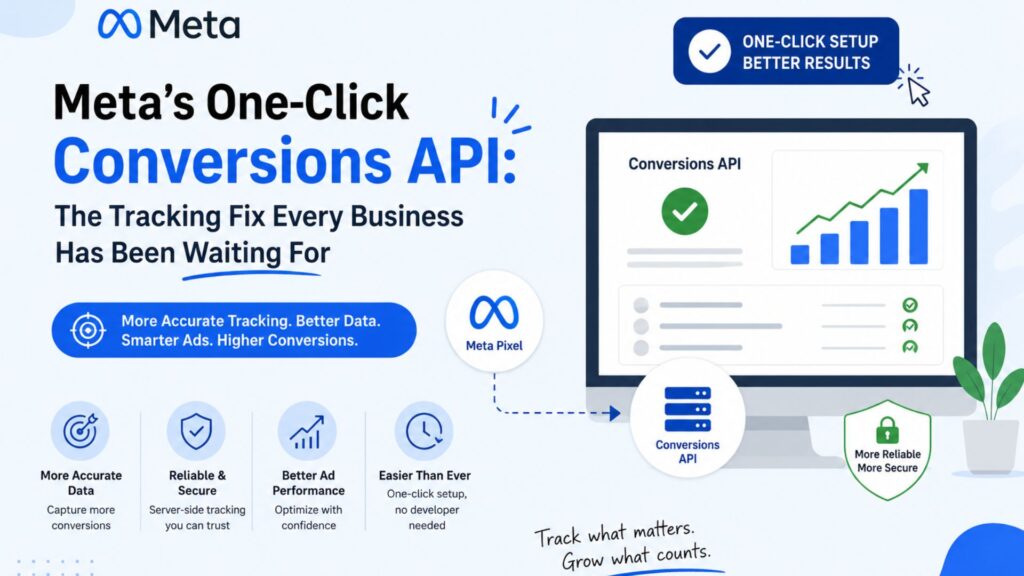
The one-click Conversions API is Meta’s answer to a problem that’s frustrated small and mid-sized businesses for years: tracking setup that required a developer, a few hours of documentation reading, and usually a bit of guesswork to get right. If you’ve ever put off fixing your Meta tracking because it felt like a technical project rather than a marketing task, this update is aimed directly at you.
What the One-Click Conversions API Actually
For years, Meta advertisers relied almost entirely on the Pixel — a snippet of code placed on a website that reported back user actions like page views, add-to-carts, and purchases. The problem was that Pixel-only tracking was fragile. Browser privacy changes, ad blockers, and cookie restrictions meant a growing share of real conversions simply never got reported, leaving campaigns optimizing on incomplete data.
The Conversions API solved this by sending conversion data directly from a business’s server to Meta, bypassing the browser entirely and capturing events the Pixel alone would miss. The catch was setup complexity — until now. The one-click Conversions API removes the technical barrier, letting businesses connect their store or website’s data without writing custom code or hiring a developer to do it for them.
Why This Matters More in 2026 Than Ever Before
Tracking Gaps Have Only Gotten Worse
Every year, browsers get stricter about what they’ll allow websites to track, and users get more comfortable rejecting cookies. A one-click Conversions API setup directly counters this trend by pulling verified conversion data from the server side, where browser restrictions don’t apply.
Andromeda Needs Clean Data to Work
Meta’s ad delivery system increasingly relies on machine learning to decide who sees your ads, and that system is only as good as the data feeding it. Incomplete or delayed conversion signals slow down how quickly the algorithm learns what’s actually working. Setting up the one-click Conversions API gives Andromeda cleaner, faster signals to optimize against, which typically shows up as lower costs per result within days of proper setup.
Small Businesses No Longer Need a Developer on Standby
This is the real shift. Before this update, proper Conversions API setup usually meant hiring a developer or an agency just to handle the technical integration. The one-click Conversions API makes this a marketing team task instead of an engineering one, which matters enormously for smaller businesses without in-house technical resources.
How to Set Up the One-Click Conversions API
Step 1: Check Your Events Manager
Before enabling anything, review your existing Pixel setup inside Events Manager to understand which events are currently firing and which ones might be missing or duplicated.
Step 2: Connect Your Platform
Meta’s one-click Conversions API setup currently supports direct integrations with major e-commerce platforms, allowing store data to sync without manual code placement. If your business runs on a custom-built site, a partner integration may still be required, though the setup process remains significantly simpler than the old method.
Step 3: Verify Event Match Quality
Once connected, check your Event Match Quality score inside Events Manager. A higher score means Meta can match more conversions back to the people who saw your ads, which directly improves how well the algorithm can optimize.
Step 4: Avoid Duplicate Events
A common mistake after enabling the one-click Conversions API is leaving old Pixel-only events running in a way that duplicates data instead of supplementing it. Meta’s deduplication settings need to be checked to make sure server-side and browser-side events aren’t being counted twice.
Common Mistakes Businesses Make With Conversions API Setup
The most frequent mistake is treating this as a “set it and forget it” fix. Even with the one-click Conversions API, tracking health needs periodic review — new pages, new checkout flows, or platform updates can quietly break event tracking without an obvious warning sign.
The second mistake is ignoring compliance considerations. Server-side tracking still needs to respect user consent choices, particularly for businesses operating in regions with strict privacy regulations. Enabling the one-click Conversions API doesn’t remove the responsibility to handle consent properly — it just removes the technical friction of getting the tracking itself working.
The third mistake is assuming the one-click Conversions API is a complete replacement for the Pixel rather than a companion to it. The strongest setups run both side by side, with server-side data filling in the gaps that browser-based tracking misses, rather than treating one as a full substitute for the other.
Quick FAQ: One-Click Conversions API in 2026
Does the one-click Conversions API replace the Meta Pixel completely? No. It’s designed to work alongside the Pixel, not replace it. Running both together, with proper deduplication, gives Meta the most complete picture of your conversions.
Do I need a developer to set up the one-click Conversions API? For most major e-commerce platforms, no — that’s the entire point of the update. Custom-built websites may still need some technical support, but the process is far simpler than the old manual integration.
How quickly will I see results after setting it up? Most businesses notice improved Event Match Quality scores within a few days, with campaign performance improvements typically becoming clearer over one to two weeks as Meta’s algorithm adjusts to the better data.
Is the one-click Conversions API only useful for e-commerce businesses? No. Any business tracking conversions — lead form submissions, bookings, sign-ups — benefits from more complete, server-verified data, not just online stores.
What This Means for Your Ad Strategy Going Forward
With the one-click Conversions API lowering the barrier to proper tracking, there’s less excuse for running campaigns on incomplete data in 2026. Businesses that get this right will feed Meta’s algorithm better signals, which compounds over time into lower costs and better-qualified leads. Businesses that skip it will increasingly compete at a data disadvantage against competitors who didn’t.
This also changes the conversation businesses should be having with their marketing teams or agencies. Instead of asking only “how’s the ad spend performing,” the more useful question becomes “is our tracking actually capturing everything it should be.” A campaign can look underwhelming purely because half its conversions never got reported — not because the targeting or creative was weak. The one-click Conversions API removes one of the most common excuses for skipping that check, since the setup barrier that used to justify putting it off no longer really exists.
How Rebootiq Handles Conversions API Setup
At Rebootiq, tracking audits are one of the first things we review before touching ad spend on any Google Ads or social media campaign — because no amount of creative or targeting strategy can fix a broken data foundation. If your business hasn’t reviewed its Meta tracking setup recently, the one-click Conversions API is a good reason to start now, whether you handle it in-house or bring in support. You can find Meta’s own setup documentation through their Conversions API developer guide and general Business Help Center for platform-specific instructions.
Want us to check whether your Meta tracking is actually capturing what it should be? Get a free website and tracking audit from our team — we’ll show you exactly what’s being missed and how to fix it. See how this fits into different business types on our industries page.
Thanks for choosing Rebootiq InfoTech.
