How to Use Google Search Console to Improve Website Rankings
Google Search Console is one of the most powerful free SEO tools available for website owners, marketers, and businesses. It helps you understand how Google views your website and provides valuable insights that can improve your search engine rankings. Whether you manage a small business website or a large eCommerce platform, Google Search Console can help you identify opportunities for growth.
What is Google Search Console?
Google Search Console (GSC) is a free tool provided by Google that allows website owners to monitor, maintain, and troubleshoot their site’s presence in search results. It offers detailed information about website performance, indexing, user experience, and technical SEO issues.
Why Google Search Console Matters for SEO
Many businesses focus on content creation and backlinks but overlook technical SEO. Google Search Console bridges this gap by showing:
- Search performance data
- Keyword rankings
- Click-through rates
- Indexing issues
- Mobile usability errors
- Core Web Vitals reports
These insights help businesses make data-driven SEO decisions.
Key Features of Google Search Console
Performance Report
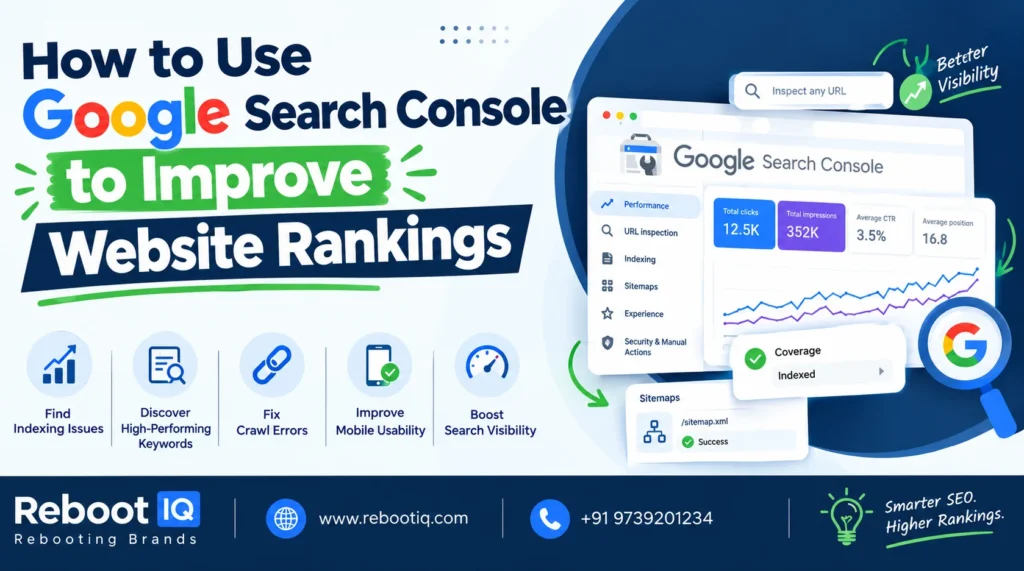
The Performance Report shows:
- Total clicks
- Total impressions
- Average CTR
- Average position
You can identify which keywords are driving traffic and which pages need optimization.
Index Coverage Report
This report helps you understand which pages are indexed and which are not. If important pages are excluded from Google’s index, you can investigate and fix the issue.
URL Inspection Tool
The URL Inspection Tool allows you to check whether a specific page is indexed and crawlable. It also lets you request indexing after making updates.
Core Web Vitals
Google uses user experience signals as ranking factors. The Core Web Vitals report helps identify issues related to page speed, responsiveness, and visual stability.
How to Improve Rankings Using Google Search Console
Optimize High-Impression Keywords
Look for keywords with high impressions but low CTR. Improve title tags and meta descriptions to attract more clicks.
Update Underperforming Pages
Pages ranking between positions 8 and 20 often require minor optimization. Update content, improve headings, and add internal links.
Fix Technical Errors
Resolve crawl errors, mobile usability issues, and indexing problems that may impact rankings.
Monitor Search Trends
Analyze keyword trends regularly to identify emerging opportunities and create relevant content.
Best Practices
- Review reports weekly.
- Submit XML sitemaps.
- Fix indexing errors quickly.
- Monitor Core Web Vitals.
- Track keyword performance over time.
Conclusion
Google Search Console is essential for any successful SEO strategy. By monitoring performance, fixing technical issues, and optimizing content based on real search data, businesses can improve rankings and generate more organic traffic.
At Rebootiq, we help businesses leverage Google Search Console insights to create data-driven SEO strategies that deliver measurable growth.
