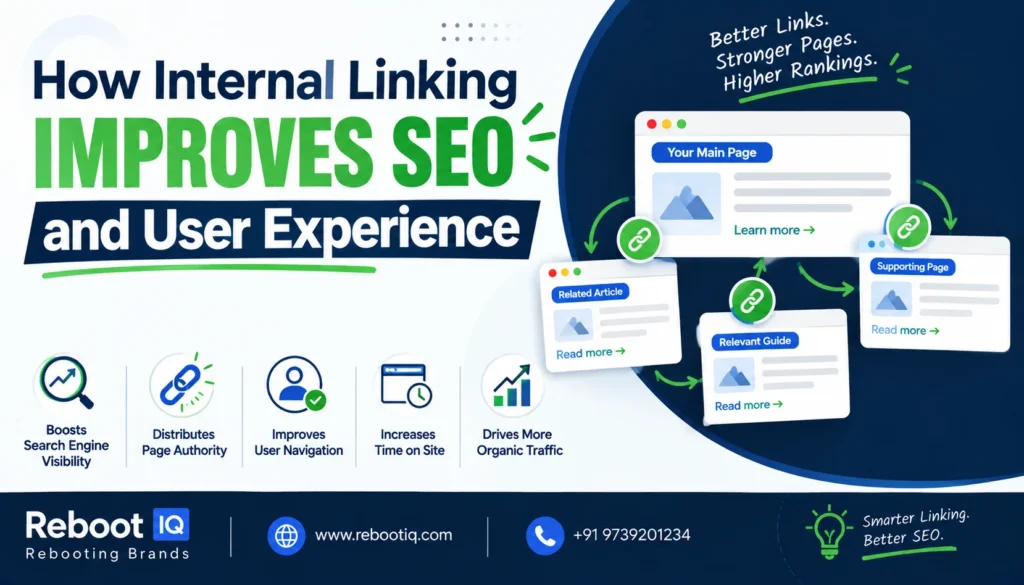
How Internal Linking Improves SEO and User Experience
When businesses think about SEO, they often focus on keywords, content creation, backlinks, and technical optimization. While these elements are important, one powerful SEO strategy is frequently overlooked: internal linking.
Internal links connect pages within the same website, helping users navigate content while giving search engines a better understanding of your site’s structure. A well-planned internal linking strategy can improve content discovery, distribute authority across pages, and create a smoother user experience.
In this guide, we’ll explore why internal linking matters and how to use it effectively for better SEO performance.
What Is Internal Linking?
Internal links are hyperlinks that point from one page on your website to another page on the same domain.
For example:
- A blog post linking to a service page
- A service page linking to a case study
- A homepage linking to important category pages
- Related blog articles linking to each other
Unlike external links, which point to other websites, internal links help connect your own content and create a logical site structure.
Why Internal Linking Matters for SEO
Search engines use links to discover and understand webpages. Internal links help search engines find content and understand the relationship between different pages on your website.
A strong internal linking structure helps:
- Improve page discoverability
- Distribute authority throughout the website
- Establish topical relevance
- Support content organization
- Enhance user navigation
Google recommends creating a logical site structure that allows users and search engines to easily find important content. Internal linking plays a major role in achieving this goal.
How Internal Links Help Search Engines
Imagine you publish a new blog post but never link to it from any existing page.
Search engines may eventually discover it, but it could take longer and receive less visibility compared to content that is properly connected within your website.
When pages are linked together, search engines can:
- Crawl content more efficiently
- Understand page relationships
- Identify important pages
- Recognize content clusters
The better your internal linking structure, the easier it becomes for search engines to understand your website.
How Internal Linking Improves User Experience
SEO is not only about rankings. User experience is equally important.
Visitors often arrive on a single page and then decide whether to continue exploring your website. Internal links guide them toward additional helpful content.
For example, if someone is reading an article about SEO title tags, they may also be interested in:
- H1 and heading optimization
- Keyword research
- Technical SEO
- Content marketing strategies
By providing relevant internal links, you help users find the information they need without having to search for it themselves.
This can increase:
- Time spent on site
- Page views per session
- User engagement
- Conversion opportunities
Best Practices for Internal Linking
1. Use Descriptive Anchor Text
Anchor text is the clickable text used in a hyperlink.
Instead of writing:
“Click here”
Use:
“Learn more about SEO title tag optimization”
Descriptive anchor text helps both users and search engines understand what the linked page is about.
2. Link to Relevant Content
Every internal link should provide additional value.
Avoid adding links simply because a page exists.
Ask yourself:
“Will this link help the reader learn more about the topic?”
If the answer is yes, the link is likely useful.
3. Prioritize Important Pages
Not every page on your website has the same importance.
Pages that generate leads, sales, or business inquiries should receive strong internal linking support.
Examples include:
- Service pages
- Landing pages
- Product pages
- Contact pages
The more relevant internal links pointing to these pages, the easier they become to discover.
4. Create Topic Clusters
One of the most effective SEO strategies is building topic clusters.
For example:
Main Topic: SEO
Supporting Articles:
- Keyword Research Guide
- Title Tag Optimization
- Technical SEO Basics
- Internal Linking Strategies
- Local SEO Best Practices
Each supporting article links back to the main topic page and to other related articles.
This creates a strong topical structure that helps users and search engines understand your expertise.
Common Internal Linking Mistakes
Many websites miss SEO opportunities because of poor internal linking practices.
Common mistakes include:
- Using generic anchor text
- Linking excessively on every page
- Creating orphan pages with no internal links
- Linking to irrelevant content
- Ignoring older blog posts
Regularly reviewing and updating internal links can help keep your content connected and relevant.
Internal Linking for Business Websites
Whether you run an e-commerce store, local business, or digital marketing agency, internal linking should be part of your SEO strategy.
For example, a digital marketing agency might link:
- Blog posts → SEO service pages
- SEO service pages → Case studies
- Case studies → Contact page
- Related blogs → Other educational resources
This creates a seamless journey from information discovery to lead generation.
How RebootIQ Uses Internal Linking for SEO Growth
At RebootIQ, internal linking is an important part of creating SEO-friendly website structures. By connecting blogs, service pages, and educational resources, businesses can improve content visibility while helping users find relevant information more efficiently.
Whether you’re investing in SEO, Google Ads, Meta Ads, website development, or content marketing, a strong website structure supported by internal linking can improve overall digital performance.
You can also explore additional SEO resources on the RebootIQ blog to learn more about on-page optimization, technical SEO, and content strategy.
Final Thoughts
Internal linking may seem like a small SEO task, but its impact can be significant.
A strategic internal linking structure helps search engines understand your content, improves user navigation, and supports important business pages. When combined with quality content, keyword optimization, and technical SEO, internal linking becomes a valuable tool for long-term organic growth.
If you’re looking for an SEO improvement that delivers benefits for both users and search engines, internal linking should be at the top of your optimization checklist.
