
Google Ads Tracking Templates vs. Final URL Suffix: What’s the Difference?
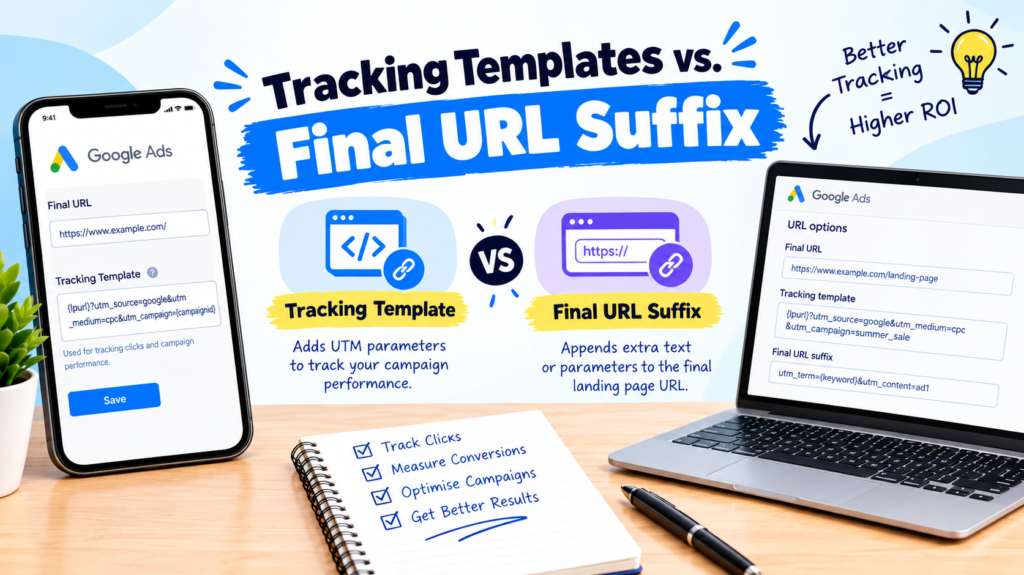
Tracking website traffic accurately is essential for measuring the performance of Google Ads campaigns. Google Ads provides several URL tracking options, including tracking templates and final URL suffixes. Although both help track ad clicks, they serve different purposes.
Understanding Google Ads tracking templates vs. final URL suffix can help advertisers configure tracking parameters correctly, integrate analytics tools, and measure campaign performance more effectively.
What Is a Tracking Template in Google Ads?
A tracking template is a URL structure that tells Google Ads how to track clicks before sending users to the landing page. It is commonly used with third-party tracking systems, click trackers, and advanced tracking configurations.
Tracking templates can include ValueTrack parameters, which dynamically collect information about an ad click, such as the campaign, keyword, device, or match type.
Example of a tracking template:
In this example, the tracking system receives the landing page URL and campaign ID. The {lpurl} parameter represents the final landing page URL.
Tracking templates are particularly useful when advertisers need third-party tracking, detailed click-level data, or custom tracking workflows.
What Is a Final URL Suffix in Google Ads?
A final URL suffix is a field used to append tracking parameters to the landing page URL when someone clicks an ad. It is generally used for UTM parameters and analytics tracking.
Unlike a tracking template, the final URL suffix does not require a separate tracking URL. Instead, it adds parameters to the destination URL.
Example of a final URL suffix:
utm_source=google&utm_medium=cpc&utm_campaign={campaignid}
If the landing page is https://example.com/services/, the resulting URL may look like this:
These parameters can help Google Analytics 4 (GA4) identify traffic from Google Ads and report campaign performance.
Google Ads Tracking Templates vs. Final URL Suffix: Key Differences
| Feature | Tracking Template | Final URL Suffix |
|---|---|---|
| Main purpose | Click tracking and routing | Adding tracking parameters |
| Common use | Third-party tracking systems | UTM and analytics tracking |
| URL structure | Can include a tracking URL and {lpurl} | Contains parameters appended to the landing page URL |
| Complexity | More advanced configuration | Generally simpler to configure |
| Typical application | Click tracking and custom workflows | GA4 campaign attribution |
Both options can work together when an advertiser needs a tracking system alongside analytics parameters.
How to Set Up a Final URL Suffix in Google Ads
Follow these steps to configure a final URL suffix:
- Sign in to your Google Ads account.
- Navigate to Campaigns and select the relevant campaign.
- Open the campaign settings and locate the tracking section.
- Find the Final URL suffix field.
- Enter your tracking parameters, such as
utm_source=google&utm_medium=cpc&utm_campaign={campaignid}. - Save the changes and test the landing page URL to confirm that the parameters are working correctly.
The exact navigation may vary depending on the Google Ads interface and the level at which you configure tracking.
When Should You Use Each Option?
Use a tracking template when you need a third-party click tracker, custom tracking logic, or additional information about ad clicks through ValueTrack parameters.
Use a final URL suffix when your primary goal is to add UTM parameters and measure campaign traffic in Google Analytics 4.
For many advertisers, the final URL suffix is sufficient for standard analytics reporting. Businesses using advanced attribution systems or external tracking platforms may benefit from tracking templates.
Common Tracking Mistakes to Avoid
Incorrect URL tracking can lead to inaccurate reporting or broken landing pages. Avoid these common mistakes:
- Adding a question mark (
?) at the beginning of the final URL suffix when the suffix field expects parameters only. - Using inconsistent UTM naming conventions across campaigns.
- Configuring a tracking template without including the required landing page URL parameter.
- Forgetting to test tracking parameters after making changes.
- Assuming that URL parameters alone guarantee accurate conversion tracking.
Always test your URLs and verify that GA4 receives the expected campaign information.
Conclusion
Understanding Google Ads tracking templates vs. final URL suffix helps advertisers choose the right tracking method for their campaigns. Tracking templates support advanced click tracking and third-party integrations, while final URL suffixes offer a straightforward way to append UTM parameters for analytics reporting.
Choosing the correct setup can improve campaign measurement, simplify reporting, and support better data-driven advertising decisions.
