Google Business Profile and GA4 Are Now Connected: Here’s What It Means
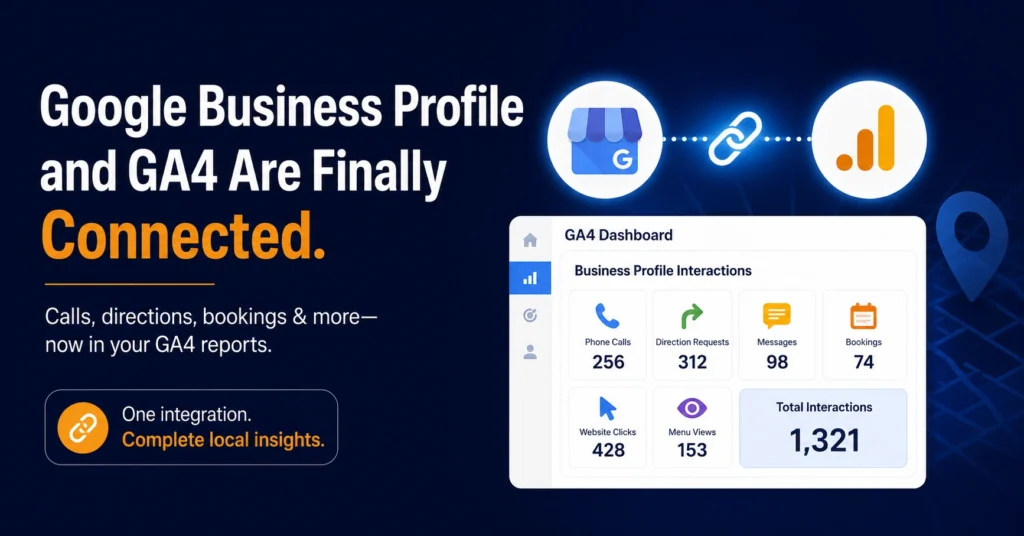
Picture this: someone finds your business on Google Maps, taps “Call,” talks to your team for five minutes, and books an appointment and your analytics dashboard has absolutely no idea any of that happened. That’s been the reality for local businesses for years. Google Business Profile and GA4 lived in two completely separate worlds, and the only bridge between them was a UTM link that could only ever capture one thing: a website click.
That gap just closed. As of early June 2026, Google Business Profile and GA4 are natively linked, and the calls, direction requests, bookings, and messages your listing generates now show up right inside the GA4 reports you’re already using.
Show Image
Why This Gap Existed for So Long
Here’s the frustrating part: none of this data was ever actually missing. It was happening the whole time — someone clicking “Get Directions,” someone messaging your business straight from the Maps listing, someone booking through your profile. Google Business Profile had its own insights panel tracking all of it. GA4 just couldn’t see any of it unless a visitor happened to click through to your website first.
So local marketers ended up doing what marketers always do when tools don’t talk to each other: they opened two tabs, checked two dashboards, and manually stitched the story together every week. It worked, technically. It just wasted time that should have gone into actually improving performance instead of reconciling numbers.
What You Can Actually See Now
Once you link Google Business Profile and GA4, seven types of interaction start flowing into a dedicated Business Profile section inside your GA4 Reports menu: total interactions, website clicks, phone calls, direction requests, messages, bookings, and menu views.
That might sound like a small addition, but think about what a phone call or a direction request actually represents. Someone didn’t just glance at your listing — they picked up the phone or started driving to your location. That’s a much stronger signal than a homepage visit, and until now, it was invisible to the same platform tracking everything else about your customer journey.
Setting It Up Takes Less Time Than Reading This Section
There’s good news if you’ve been dreading another “integration project”: there isn’t one. No tracking code, no tags, nothing to touch on your website. You link Google Business Profile and GA4 entirely inside GA4 Admin, under Product Links, and pick the profile you want connected. If you have Editor or Administrator access on the GA4 property, and Owner or Manager access on the Business Profile itself, you can have this running in about five minutes.
A couple of things worth knowing before you click connect: this only works with standard GA4 properties, not subproperties. And if you’re managing more than one location and link multiple profiles to a single GA4 property, the data blends together — there’s no way yet to break performance down by individual location inside this view.
It’s Genuinely Useful, But It’s Not the Whole Picture Yet
We’d rather tell you the honest version than oversell this. GA4 only holds onto Business Profile data for a rolling six months, no matter how far back the rest of your reporting window goes. And these new metrics live in their own separate section — you can’t pull them into Explorations, run comparisons, or apply custom filters the way you can with the rest of your GA4 data.
If you’re running several locations and need real per-location detail after connecting Google Business Profile and GA4, you’ll still want to lean on the Business Profile performance dashboard directly for now. This integration is a genuine upgrade, not a full replacement for dedicated local reporting.
What This Actually Changes for Local SEO
For any business that leans on local search, this closes one of the more annoying blind spots in measuring what that effort is producing. You can finally follow the thread from “someone searched for a business like mine on Maps” all the way through to a call, a booking, or a visit to your website — in one place, without the manual stitching.
A Couple of Mistakes We’d Watch Out For
The easy trap here is linking the integration, feeling good about it, and then never actually opening that new Business Profile section again. The setup takes five minutes. The value only shows up if someone’s actually looking at what it reports on a regular basis.
The other one: don’t assume this makes UTM tagging pointless. It doesn’t. UTMs still matter for tracking specific campaigns and understanding exactly which link someone clicked. This integration fills in what UTMs could never see in the first place — the calls, the directions, the messages — not the other way around.
Quick FAQ: Google Business Profile and GA4
What new data shows up once I connect Google Business Profile and GA4? Seven metrics land in a dedicated section inside GA4: total interactions, website clicks, phone calls, direction requests, messages, bookings, and menu views.
How long does setup actually take? About five minutes. You link the two inside GA4 Admin under Product Links — no code, no tags, nothing to touch on your site.
How far back does the data go? GA4 keeps a rolling six months of Business Profile data, regardless of what date range you’re viewing elsewhere.
Can I link more than one location? You can, but the metrics all combine into one total. There’s no way yet to filter by individual location within this integration.
Does this mean I can stop using UTM links? No — UTMs are still useful for campaign-level tracking. This integration just adds visibility into the interactions UTMs were never able to capture.
How Rebootiq Handles This for Local Businesses
We’ve already made connecting Google Business Profile and GA4 a standard step in every local SEO setup we run — it’s a five-minute task that removes a real blind spot, so there’s no reason to skip it. For clients running paid campaigns alongside organic local SEO, our Google Ads team uses this same data to get a fuller picture of how people actually engage before they convert. If you want to go deeper on the technical side, Google’s own Analytics Help Center and Business Profile Help Center both cover it in more detail.
Not sure if yours is even connected yet? Get a free website and local SEO audit from our team, and we’ll check. See how this plays out across different kinds of businesses on our industries page.
Thanks for choosing Rebootiq InfoTech.
