Google Ads Eligible But Not Running: The 7 Real Reasons This Happens
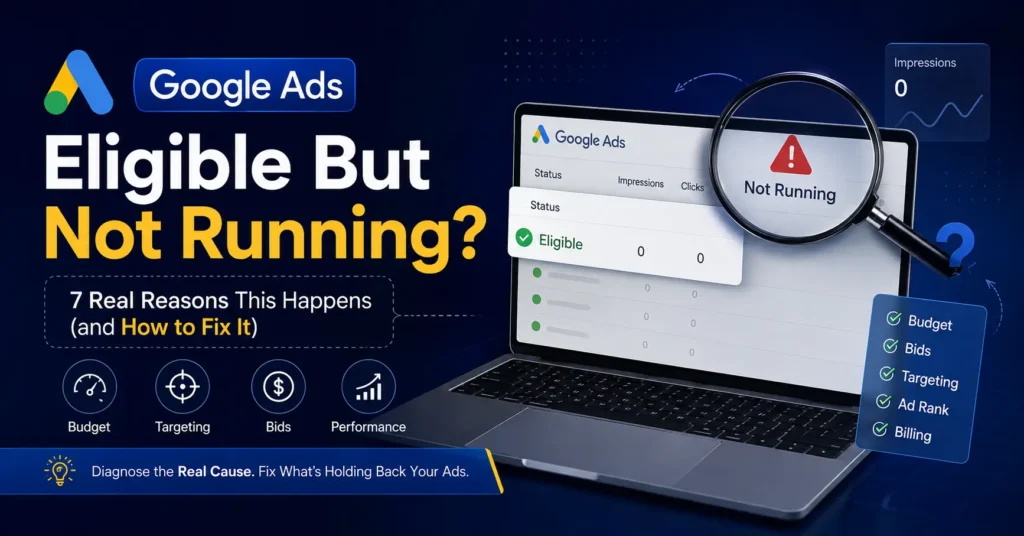
Google Ads eligible but not running is one of the most confusing statuses in the entire platform, honestly. There’s no red warning, no obvious error, nothing that jumps out and screams “fix me.” Just a quiet little green checkmark that says “Eligible,” while your impressions sit at zero and you’re left staring at the dashboard wondering what you’re missing. We get asked about this constantly, so let’s actually walk through why it happens.
Why “Eligible” Doesn’t Mean “Running”
Here’s the part that trips people up: “Eligible” just means Google has approved your ad to potentially enter the auction. It doesn’t mean it’s actually winning that auction, or even entering it in the first place. Plenty of perfectly approved, policy-compliant ads sit eligible but silent for days, because eligibility and actual delivery are two completely separate things in Google’s system.
The 7 Real Reasons This Happens
1. Your Budget Can’t Compete
This is the one we see most. If your daily budget is too low relative to what competitors are bidding in the same auction, Google simply won’t enter your ad into enough auctions to generate meaningful impressions. The ad’s eligible — it’s just never getting a real shot.
2. Your Bids Are Too Conservative
Even with a decent budget, if your max CPC bid is set well below what it actually takes to compete for your target keywords, you’ll lose almost every auction before impressions even happen. Google Ads eligible but not running often comes down to this exact gap between what you’re willing to pay and what the auction actually requires.
3. Ad Scheduling Is Quietly Limiting Delivery
If ad scheduling is restricted to certain hours, and those hours happen to have low search volume for your keywords, you might be technically running but barely showing up. This one’s easy to overlook because the setting was probably made intentionally, just without realizing the volume tradeoff.
4. Targeting Is Too Narrow
Combine a tight location radius, restrictive demographics, and a small custom audience, and you can accidentally shrink your addressable auction pool down to almost nothing. Each targeting layer on its own seems reasonable — stacked together, they can choke off delivery entirely.
5. Quality Score and Ad Rank Are Working Against You
Eligibility doesn’t account for how competitive your Ad Rank actually is. A low Quality Score, driven by weak ad relevance or a poor landing page experience, can leave your ad losing nearly every auction even against similarly-priced competitors, because Ad Rank blends bid and quality together.
6. The Campaign Is Still in Learning Phase
New campaigns, or campaigns that just had a significant change, go through a learning period where delivery is intentionally throttled while the algorithm gathers data. This can look alarmingly like “eligible but not running” for the first several days, when really it’s just early and normal.
7. A Billing or Payment Issue Is Quietly Capping Delivery
Sometimes it’s the least glamorous explanation: an expired card, a failed payment, or an account flagged for billing review can restrict delivery without necessarily showing an obvious red error banner everywhere you’d expect one.
How to Actually Diagnose the Real Cause
Start with the Ad Preview and Diagnosis tool inside Google Ads — it’ll tell you directly why a specific ad isn’t showing for a specific search, which cuts through a lot of guesswork fast when you’re staring at Google Ads eligible but not running with no obvious explanation. From there, check budget pacing, review your Quality Score by keyword, and confirm billing status before assuming it’s a targeting or bidding problem.
Common Mistakes When Troubleshooting This
The biggest one is assuming “eligible” means everything’s fine and moving on without digging further. Google Ads eligible but not running is a status that specifically requires more investigation, not less, precisely because it looks so harmless on the surface.
The second is changing five settings at once trying to fix it. Adjust one variable — budget, bid, or targeting — wait a few days, and actually measure the impact before changing anything else. Otherwise you’ll never know which change actually solved it.
Quick FAQ: Google Ads Eligible But Not Running
What does “Eligible” actually mean in Google Ads? It means your ad has passed policy review and can potentially enter the ad auction — not that it’s guaranteed to actually win impressions or clicks.
How long should I wait before worrying about low impressions? Give a new or recently changed campaign at least 5-7 days for the learning phase before assuming something’s broken, unless impressions are at true zero the entire time.
Is a low budget the most common reason for this? It’s one of the most common, yes, especially in competitive industries where the auction requires a higher spend than the budget allows.
Can targeting alone cause this issue? Yes. Stacking multiple narrow targeting layers — tight location, narrow demographics, small custom audiences — can shrink the auction pool enough to choke off delivery almost entirely.
What’s the fastest way to diagnose the actual cause? The Ad Preview and Diagnosis tool inside Google Ads is the fastest starting point, since it tells you directly why an ad isn’t showing for a specific search.
How Rebootiq Helps Fix This
At Rebootiq, “Google Ads eligible but not running” is one of the most common issues we get asked to diagnose during an account review. Our Google Ads management process starts by ruling out budget, bidding, targeting, and billing issues systematically, rather than guessing at a single fix. We’ve also written a deeper technical breakdown on why this status happens and what to check first if you want to go further into the mechanics.
Not sure why your own campaigns are stuck in this exact state? Get a free account audit from our team. See how our approach differs across business types on our industries page. You can also check out our work on LinkedIn and Instagram.
Thanks for choosing Rebootiq InfoTech.
