AI Chatbots Are Becoming Standard on WordPress Sites — Is Yours Still Missing One?
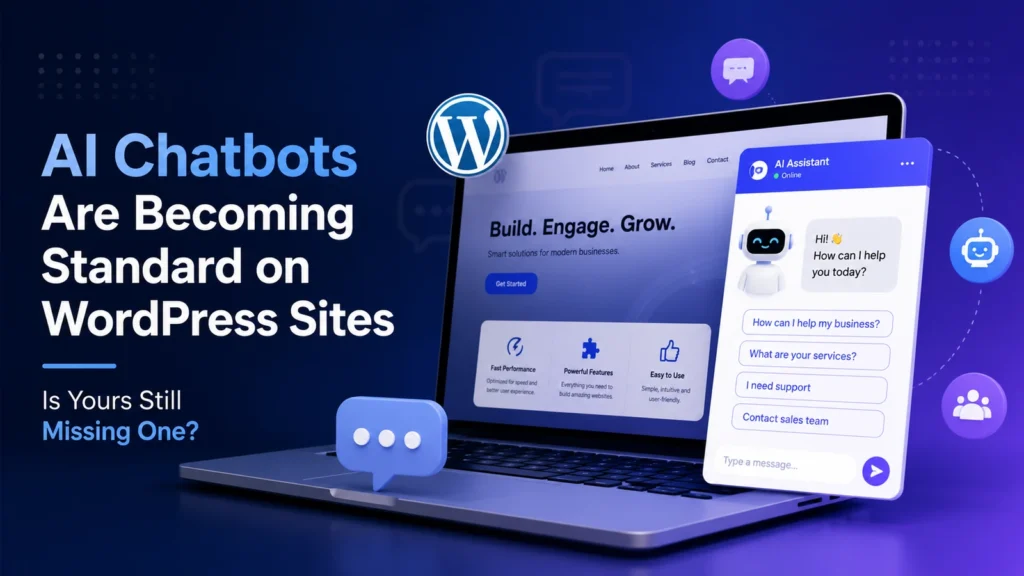
AI chatbots on WordPress sites are quickly moving from “nice to have” to “why don’t you have this yet.” A visitor lands on your website at 11 PM, has a question about pricing, and your contact form politely promises someone will “get back to them soon.” By the time your team logs in the next morning, that visitor has already booked with a competitor who answered instantly. That’s the exact gap AI chatbots are closing right now, and it’s why more WordPress site owners are treating them as a baseline feature rather than an experiment.
Show Image
Why AI Chatbots on WordPress Sites Are Becoming the Norm
Most visitors don’t want to fill out a form and wait. If someone’s comparing pricing, checking delivery timelines, or trying to understand how your service actually works, they expect an answer immediately — not tomorrow. AI chatbots on WordPress sites exist to close that exact gap, and the businesses adopting them early are seeing the difference in response speed, lead capture, and after-hours engagement.
The appeal isn’t really about looking modern. It’s about consistency. Human teams get busy, replies get delayed, and follow-ups slip through the cracks. A properly set up chatbot doesn’t have that problem — it delivers the same quality answer at 3 PM and 3 AM.
What a Good WordPress AI Chatbot Setup Actually Looks Like
1. Choosing the Right Chatbot Plugin
Not every chatbot tool solves the same problem. Some are built for basic live-chat automation, others focus on lead generation, and others lean into full conversational AI. Before installing anything, it’s worth being clear on whether the goal is support, sales, or both — since that decision shapes which AI chatbots on WordPress sites will actually be worth the setup time.
Look for tools that handle natural conversation well, integrate cleanly with WordPress without slowing the site down, and connect to the systems already in use — CRM, email, or an existing e-commerce setup like WooCommerce.
2. Installation Is the Easy Part
Getting AI chatbots on WordPress sites up and running technically takes most businesses well under an hour: install the plugin, connect the account, adjust the appearance, and publish. The WordPress Plugin Directory has dozens of chatbot options, most with straightforward setup wizards.
But installing a chatbot and actually getting value from it are two very different things.
3. Training Is Where Most Chatbots Quietly Fail
This is the step businesses skip, and it’s the one that matters most. A chatbot is only as useful as what it knows. It needs real information about pricing, policies, common objections, and frequently asked questions — not a generic greeting and a “how can I help you today?”
Businesses getting real value from AI chatbots on WordPress sites are uploading actual help docs, FAQs, and product details into the system, rather than relying on a handful of scripted responses. A single wrong or vague answer can damage trust faster than having no chatbot at all.
Getting More Out of AI Chatbots on WordPress Sites
Connect It to Real Business Data
The strongest setups go beyond static replies. Connecting the chatbot to booking systems, product catalogs, or a CRM lets it give genuinely useful, specific answers instead of generic sales copy — someone can ask “which plan fits a small team” and get an actual recommendation, not a brochure.
Fix the Timing, Not Just the Script
A chatbot that pops up the second someone lands on the page feels aggressive, not helpful. Better triggers include exit intent, time spent on a pricing page, or repeat visits — moments where a visitor is genuinely close to a decision. Getting this right is often the difference between a chatbot that annoys people and one that quietly drives conversions.
Don’t Let It Slow Your Site Down
Speed still matters for both SEO and conversions. A chatbot script that loads heavy or blocks page rendering can undo any benefit it was supposed to add. It’s worth testing page speed before and after installation, not assuming a plugin is lightweight just because it’s popular.
Is It Actually Worth Adding One?
For most WordPress sites getting steady traffic outside business hours — e-commerce stores, service businesses, SaaS products — the answer is increasingly yes. AI chatbots on WordPress sites aren’t a guaranteed conversion boost on their own, but paired with proper training and sensible triggers, they consistently reduce response time and capture leads that would otherwise disappear overnight.
Quick FAQ: AI Chatbots on WordPress Sites
Do AI chatbots on WordPress sites actually help with lead generation? Yes, when properly trained. A chatbot can answer common questions, qualify visitor intent, and collect contact details before a sales team even gets involved.
Will adding a chatbot slow down my WordPress website? It can, if the plugin loads heavy scripts. Choosing a lightweight tool and testing page speed after installation avoids this issue.
Do AI chatbots on WordPress sites directly improve SEO rankings? Not directly, but they can reduce bounce rate and increase time on site by helping visitors find information faster — both of which support broader SEO performance.
How long does it take to set up a chatbot properly? Installation usually takes under an hour, but proper training — uploading FAQs, policies, and product details — is what actually determines whether the chatbot performs well, and that step deserves more time than most businesses give it.
How Rebootiq Approaches Chatbot and Website Setup
At Rebootiq, we treat AI chatbots on WordPress sites as part of a broader conversion strategy, not a standalone plugin install. Our website design and development work looks at how a chatbot fits alongside page speed, lead capture forms, and existing social media campaigns — because a chatbot only helps if the rest of the site is set up to convert the leads it captures.
Not sure if your website is ready for a chatbot, or whether your current one is actually working? Get a website audit from our team. See how this fits differently across business types on our industries page.
Thanks for choosing Rebootiq InfoTech
