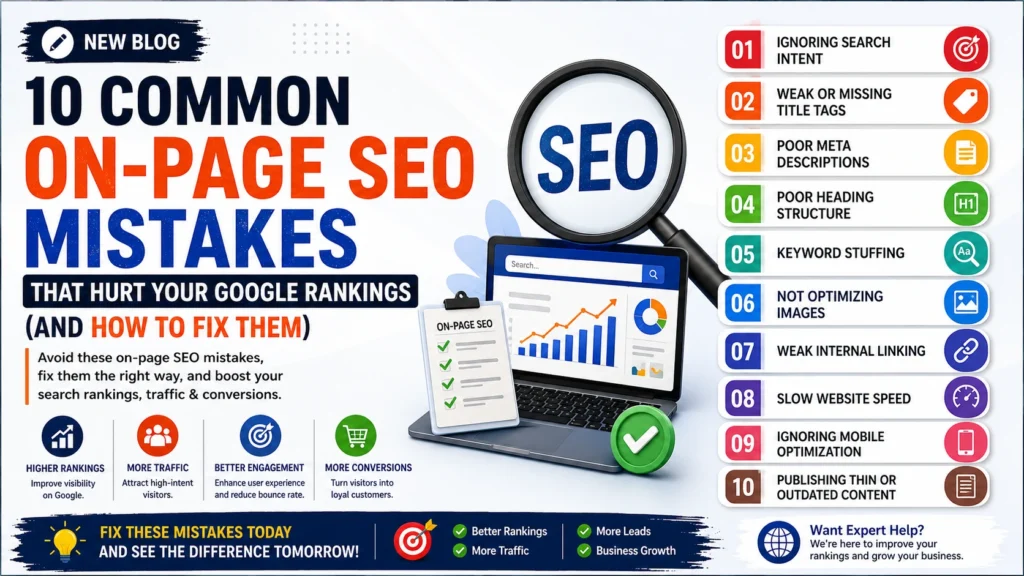
10 Common On-Page SEO Mistakes That Hurt Your Google Rankings (And How to Fix Them)
Introduction
Ranking on Google’s first page takes more than publishing content regularly. Even well-written articles can struggle to gain visibility if essential on-page SEO practices are overlooked.
Many websites unknowingly make simple optimization mistakes that prevent search engines from understanding their content or delivering a great user experience. Over time, these issues can reduce organic traffic, lower keyword rankings, and limit your website’s growth.
The good news? Most on-page SEO mistakes are easy to identify and fix.
In this guide, we’ll explore the 10 most common on-page SEO mistakes that affect website performance and explain how to correct them using proven best practices. Whether you manage a business website, blog, or e-commerce store, these tips will help you improve search visibility and create a stronger foundation for long-term SEO success.
Why On-Page SEO Matters
On-page SEO refers to the optimization techniques applied directly to your website’s pages to help search engines understand your content and improve the experience for users.
A strong on-page SEO strategy helps you:
- Improve Google rankings
- Increase organic traffic
- Enhance user experience
- Boost click-through rates (CTR)
- Reduce bounce rates
- Improve conversion rates
- Support long-term SEO growth
Ignoring on-page SEO can make it difficult for even high-quality content to perform well in search results.
1. Ignoring Search Intent
One of the biggest reasons content fails to rank is that it doesn’t match what users are actually looking for.
For example, someone searching “best CRM software” expects a comparison or review—not a product sales page.
How to Fix It
- Understand whether the keyword has informational, commercial, or transactional intent.
- Review the current top-ranking pages before creating content.
- Write content that directly answers the user’s query.
- Include practical examples, comparisons, and actionable advice where relevant.
When your content aligns with search intent, users stay longer on the page, which sends positive engagement signals to search engines.
2. Missing or Poorly Optimized Title Tags
Your title tag is often the first thing users see in search results. A weak or generic title can reduce click-through rates and affect rankings.
Common Mistakes
- Missing title tags
- Duplicate titles
- Titles that are too short or too long
- Not including the primary keyword
How to Fix It
- Place the focus keyword naturally near the beginning.
- Keep the title between 50–60 characters.
- Make it clear, compelling, and relevant.
- Write a unique title for every page.
A well-crafted title improves both visibility and click-through rates.
3. Writing Weak Meta Descriptions
While meta descriptions are not a direct ranking factor, they significantly influence whether users click on your page.
A vague or missing meta description can reduce organic traffic even if your page ranks well.
How to Fix It
- Write unique descriptions for every page.
- Keep them between 150–160 characters.
- Include the primary keyword naturally.
- Highlight the value users will gain by visiting your page.
- Add a subtle call to action where appropriate.
A compelling meta description encourages more users to choose your result over competing pages.
4. Poor Heading Structure
Headings help both users and search engines understand the structure and hierarchy of your content.
Using headings incorrectly can make your content difficult to read and harder for search engines to interpret.
How to Fix It
- Use only one H1 heading per page.
- Organize content with H2 and H3 subheadings.
- Include keywords naturally in relevant headings.
- Keep headings descriptive and easy to scan.
A clear heading structure improves readability and helps search engines better understand your content.
5. Keyword Stuffing
Repeating the same keyword excessively no longer improves rankings. In fact, it can make your content sound unnatural and may negatively affect user experience.
How to Fix It
- Use the focus keyword naturally.
- Include related terms and synonyms.
- Write for people first, search engines second.
- Prioritize clarity over keyword density.
Google rewards content that is helpful, relevant, and easy to read—not content overloaded with repetitive keywords.
6. Not Optimizing Images for SEO
Images enhance the visual appeal of your content, but if they’re not optimized, they can slow down your website and reduce your chances of ranking in Google Images.
Many websites upload large image files with generic names like IMG_1234.jpg, which provides no context to search engines.
How to Fix It
- Compress images before uploading.
- Use modern formats like WebP.
- Rename image files with descriptive keywords.
- Add meaningful alt text to every image.
- Implement lazy loading for better performance.
Example
❌ IMG001.jpg
✅ on-page-seo-checklist.webp
Optimized images improve page speed, accessibility, and overall SEO performance.
7. Weak Internal Linking
Internal links help search engines discover your content while guiding users to related pages on your website.
Without proper internal linking, important pages may not receive enough authority to rank well.
How to Fix It
- Link to relevant blogs and service pages.
- Use descriptive anchor text.
- Connect related content naturally.
- Update older articles with links to newer content.
- Avoid excessive or irrelevant links.
A strong internal linking strategy improves crawlability and encourages visitors to spend more time exploring your website.
8. Slow Website Speed
Page speed is a confirmed Google ranking factor and has a significant impact on user experience.
Visitors expect pages to load quickly. If your website is slow, they may leave before reading your content.
How to Fix It
- Compress images.
- Remove unnecessary plugins and scripts.
- Minify CSS and JavaScript files.
- Enable browser caching.
- Use a Content Delivery Network (CDN).
- Choose a reliable hosting provider.
A faster website improves engagement, reduces bounce rates, and supports better rankings.
9. Ignoring Mobile Optimization
Most users now browse websites using smartphones, making mobile optimization essential.
Google uses mobile-first indexing, meaning it primarily evaluates the mobile version of your website when determining rankings.
How to Fix It
- Use a responsive website design.
- Ensure text is easy to read without zooming.
- Optimize buttons for touch navigation.
- Improve loading speed on mobile devices.
- Test your website on different screen sizes.
A seamless mobile experience keeps visitors engaged and improves your SEO performance.
10. Publishing Thin or Outdated Content
Short, outdated, or low-value content rarely performs well in search results.
Google prioritizes content that is comprehensive, accurate, and genuinely helpful.
How to Fix It
- Expand pages with useful insights and examples.
- Update statistics and outdated information.
- Add FAQs to answer common user questions.
- Include images, infographics, or videos where relevant.
- Refresh older content regularly to maintain accuracy.
Instead of publishing more content, focus on creating content that thoroughly addresses user needs.
Bonus Tips to Strengthen Your On-Page SEO
Beyond avoiding common mistakes, these best practices can further improve your website’s performance:
- Write clear and descriptive URLs.
- Add Schema Markup to enhance search visibility.
- Improve readability with short paragraphs and bullet points.
- Use a table of contents for long-form content.
- Regularly audit your website for broken links.
- Optimize for featured snippets by answering questions directly.
- Update evergreen content periodically.
Small improvements made consistently can have a significant impact on long-term rankings.
Optimize for AI Search (AEO)
Search is evolving. Users increasingly rely on Google AI Overviews, ChatGPT, Gemini, and Microsoft Copilot to find quick answers instead of browsing multiple websites.
To improve your chances of appearing in AI-powered search results:
- Answer common questions clearly and concisely.
- Use descriptive headings (H2 and H3).
- Include FAQ sections with direct answers.
- Implement FAQ and Article Schema.
- Support claims with accurate, up-to-date information.
- Write naturally in a conversational tone.
- Demonstrate expertise through original insights and practical examples.
Creating content that is both search engine-friendly and answer engine-friendly helps future-proof your SEO strategy.
Frequently Asked Questions (FAQs)
What is on-page SEO?
On-page SEO is the process of optimizing individual web pages to improve their visibility in search engines and provide a better user experience.
Why is on-page SEO important?
On-page SEO helps search engines understand your content, improves keyword rankings, increases organic traffic, and enhances the overall user experience.
What is the biggest on-page SEO mistake?
Ignoring search intent is one of the most common mistakes. If your content doesn’t answer what users are searching for, it will struggle to rank.
How often should I update my website content?
Review and update important pages every 3–6 months to keep information accurate, relevant, and competitive.
Does page speed affect SEO?
Yes. A fast-loading website improves user experience, reduces bounce rates, and is an important Google ranking factor.
What is AEO?
AEO (Answer Engine Optimization) is the practice of creating content that directly answers user questions, helping it appear in Google AI Overviews and AI-powered search platforms like ChatGPT and Gemini.
Improve Your Website’s SEO with Rebootiq
At Rebootiq, we help businesses improve their online visibility with data-driven SEO strategies that deliver measurable results.
Our SEO services include:
- On-Page SEO Optimization
- Technical SEO Audits
- Keyword Research
- Content Optimization
- Local SEO
- E-commerce SEO
- Website Performance Optimization
- Google Business Profile Optimization
- SEO Reporting & Analytics
Whether you’re launching a new website or improving an existing one, our team develops customized SEO strategies to help you increase rankings, attract qualified traffic, and generate more leads.
Ready to grow your business with SEO?
Visit https://rebootiq.com/ and discover how our digital marketing experts can help your website achieve sustainable growth.
