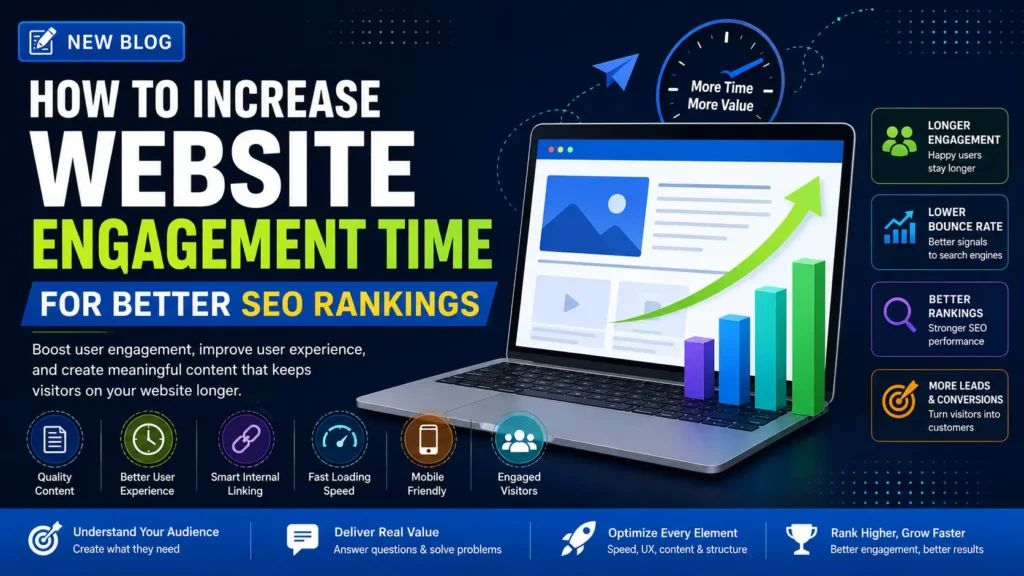
How to Increase Website Engagement Time for Better SEO Rankings
Introduction
Getting visitors to your website is only the first step.
The bigger challenge is keeping those visitors engaged once they arrive.
A website may attract thousands of visitors from Google, social media, or paid advertising, but if people leave quickly without reading, exploring, or taking action, the website may not be delivering the experience they expected.
This is why website engagement time is an important performance metric to understand.
However, there is an important distinction: Google does not simply rank a page higher because visitors spend more time on it. Engagement time should not be treated as a standalone ranking factor.
Instead, it can provide useful insights into whether your content, page experience, navigation, and overall website are satisfying visitors.
For businesses, improving engagement can also create opportunities for visitors to discover more content, view services, submit enquiries, make purchases, or become returning customers.
In this guide, we’ll explore practical ways to increase website engagement time while creating a better experience for both users and search engines.
What Is Website Engagement Time?
Website engagement time refers to how long visitors actively interact with or consume content on your website.
Depending on the analytics platform you’re using, engagement can include activities such as:
- Reading a page
- Scrolling through content
- Watching a video
- Clicking internal links
- Exploring product or service pages
- Interacting with forms
- Visiting multiple pages
- Using interactive elements
Google Analytics 4 (GA4), for example, provides Average Engagement Time, which can help you understand how long users actively engage with your website.
The important point is that time alone doesn’t tell the complete story.
A visitor spending five minutes on a page could indicate strong engagement—or they could simply be struggling to find the information they need.
That’s why engagement should always be analyzed alongside other metrics and business outcomes.
Does Engagement Time Affect SEO Rankings?
Not directly in the simple sense of “more time = higher ranking.”
Google uses many signals and systems to determine which results are useful for a search query. Engagement metrics from your analytics account should not be treated as a direct ranking formula.
However, engagement data can reveal problems that matter for SEO.
For example, if users consistently:
- Leave immediately after landing
- Don’t scroll through the page
- Don’t visit relevant internal pages
- Don’t interact with important content
- Abandon important conversion pages
it may indicate that your content, page experience, targeting, or user journey needs improvement.
Therefore, the goal should not be to artificially increase time on page.
The goal is to give visitors a genuine reason to stay.
1. Match Content With Search Intent
One of the strongest ways to improve engagement is to give visitors exactly what they expected when they clicked your search result.
Suppose someone searches:
“Best digital marketing agency for real estate.”
They probably want to understand:
- Which services are available
- Whether the agency has real estate experience
- What results they can expect
- How the agency works
- How to get started
If the landing page only contains a generic company introduction, visitors may leave quickly.
How to Fix It
Before creating or optimizing a page:
- Identify the primary search intent.
- Study the type of content ranking for the keyword.
- Understand the questions users are asking.
- Answer the main question near the beginning.
- Provide deeper information below it.
Search intent first. Keywords second.
2. Create Strong Introductions
The first few seconds matter.
If your introduction is too long, generic, or unrelated to the visitor’s problem, users may leave before reaching the valuable part of your content.
Avoid starting every article with several paragraphs of background information.
Instead:
- State the problem.
- Explain what the reader will learn.
- Give a useful answer early.
- Create a reason to continue reading.
Example
Instead of:
“In today’s rapidly changing digital world, businesses are increasingly looking for…”
Try:
“If your website gets traffic but visitors leave without exploring your pages, your content and user journey may need improvement. Here are practical ways to keep visitors engaged.”
The second approach gets to the point faster.
3. Improve Content Readability
Large blocks of text can make even excellent information difficult to consume.
Make your content easier to scan using:
- Short paragraphs
- Descriptive headings
- Bullet points
- Numbered lists
- Bold emphasis where appropriate
- Tables
- Relevant examples
A visitor should be able to quickly scan the page and understand what it contains.
A simple rule:
Make the page easy to read before trying to make it longer.
4. Use Internal Links Strategically
Internal linking is useful for both SEO and user navigation.
Instead of allowing visitors to reach the end of an article and leave, guide them toward another relevant resource.
For example, a blog about SEO could naturally link to:
- SEO Services
- Technical SEO
- Local SEO
- Content Marketing
- Google Ads
- Website Development
Best Practices
Use descriptive anchor text that tells users what they will find after clicking.
Instead of:
“Click here to learn more.”
Use:
“Learn more about our SEO services.”
Relevant internal links can help visitors discover additional information while helping search engines understand relationships between pages.
5. Add Relevant Visual Content
People don’t consume every page by reading every word.
Visual content can make information easier to understand and encourage visitors to continue exploring.
Consider using:
- Infographics
- Original graphics
- Screenshots
- Charts
- Videos
- Product images
- Process diagrams
- Before-and-after examples
However, don’t add visuals simply to fill empty space.
Every image should have a purpose.
Optimize images properly by:
- Compressing large files
- Using appropriate formats
- Adding descriptive alt text
- Using meaningful file names
- Avoiding unnecessary images that slow the page
6. Improve Page Speed
A slow website creates friction before users even see your content.
Visitors may leave if a page takes too long to load, especially on mobile devices or slower connections.
Improve Website Speed By:
- Compressing images
- Using modern image formats
- Removing unnecessary scripts
- Reducing unused plugins
- Improving hosting performance
- Using browser caching
- Optimizing CSS and JavaScript
- Monitoring Core Web Vitals
Page speed isn’t only about SEO.
It’s about creating a website people actually want to use.
7. Make Your Website Mobile-Friendly
A website that looks excellent on desktop but is difficult to use on a smartphone can quickly lose visitors.
Check whether:
- Text is readable
- Buttons are easy to tap
- Navigation is simple
- Images fit the screen
- Forms work correctly
- Pop-ups don’t block important content
- Pages load efficiently on mobile
Google uses mobile-first indexing, so mobile usability is essential for modern websites.
8. Use Videos to Explain Complex Topics
Video can be particularly effective when a topic is difficult to explain through text alone.
For example, a digital marketing website could use videos to demonstrate:
- How Google Ads works
- How to conduct keyword research
- How to use an analytics dashboard
- How a service process works
- How to complete a specific task
Keep videos relevant and make the value clear before asking visitors to watch.
Adding captions and a short written summary can also make video content more accessible
9. Add Clear Calls to Action
Don’t make visitors guess what to do next.
After providing useful information, guide them toward an appropriate next step.
Examples include:
- Request a Consultation
- Get a Free SEO Audit
- Explore Our Services
- Contact Our Team
- View Our Case Studies
- Read the Next Guide
Your CTA should match the visitor’s stage in the buying journey.
A blog visitor may not be ready to purchase immediately. A useful next step could simply be another relevant article or service page.
10. Build Topic Clusters
One article rarely answers every question a visitor has.
Create related content around your main topics and connect those pages through internal links.
For example, a digital marketing agency could create a topic cluster around SEO:
Supporting articles:
- Technical SEO Guide
- On-Page SEO Mistakes
- Keyword Research
- Local SEO
- E-commerce SEO
- SEO Reporting
- Content Optimization
This structure creates a clearer content journey and helps visitors find more useful information.
11. Use Interactive Content
Interactive elements can make a page more useful and engaging when they’re relevant.
Examples include:
- Calculators
- Quizzes
- Checklists
- Interactive tools
- Comparison tables
- Filters
- Assessments
- Cost estimators
For example, a digital marketing agency could create a Digital Marketing ROI Calculator that helps businesses estimate potential returns.
Interactive content should solve a real user problem rather than exist purely to increase time spent on the page.
12. Improve Your Navigation
Visitors shouldn’t have to search extensively to find important information.
A clear navigation structure should make key pages easy to discover.
For a digital marketing agency, this might include:
Home → Services → SEO → Case Studies → Blogs → Contact
Keep navigation:
- Simple
- Consistent
- Mobile-friendly
- Descriptive
- Easy to understand
Good navigation reduces friction and encourages users to explore more of your website.
13. FAQs
How can I increase website engagement time?
Improve content relevance, page speed, readability, navigation, internal linking, visual content, and the overall user experience.
Does a longer time on page guarantee better rankings?
No. Time spent on a page should not be treated as a direct Google ranking factor. Focus on satisfying user intent and providing useful content.
Why are visitors leaving my website quickly?
Possible reasons include poor content relevance, slow loading speed, confusing navigation, weak mobile experience, intrusive pop-ups, or a mismatch between the search query and landing page.
Short, direct answers are especially useful for AEO because they make important information easier for search engines and AI systems to interpret.
14. Use Data to Identify Engagement Problems
Don’t guess why visitors are leaving.
Use analytics data to find patterns.
Monitor metrics such as:
- Average engagement time
- Engaged sessions
- Engagement rate
- Scroll depth, where available
- Landing page performance
- Exit patterns
- Conversion rate
- Pages per session or related navigation metrics
Compare performance across:
- Organic traffic
- Paid traffic
- Social traffic
- Mobile users
- Desktop users
- New visitors
- Returning visitors
This can reveal where users are struggling.
15. Keep Content Fresh
Old information can reduce user trust.
Regularly review important pages and update:
- Statistics
- Examples
- Screenshots
- Pricing information
- Product details
- Links
- Industry developments
- Outdated recommendations
Don’t update content simply to change the publication date.
Update it when you can genuinely make it more useful.
Common Mistakes That Reduce Website Engagement
Avoid these practices:
❌ Writing for keywords instead of people
❌ Using long, unnecessary introductions
❌ Publishing large walls of text
❌ Slow-loading pages
❌ Poor mobile design
❌ Excessive pop-ups
❌ Autoplaying audio
❌ Misleading titles or headlines
❌ Broken internal links
❌ Irrelevant CTAs
❌ Copying generic content
❌ Creating content without understanding search intent
The best engagement strategy is not a trick.
It’s a better website.
How to Measure Website Engagement
A useful SEO analysis should combine engagement metrics with actual business outcomes.
For example:
| Metric | What It Can Tell You |
|---|---|
| Average Engagement Time | How long users actively engage |
| Engagement Rate | Whether sessions meet engagement criteria |
| Landing Page Performance | Which entry pages attract or lose users |
| Conversion Rate | Whether engagement leads to business results |
| Internal Link Clicks | Whether visitors explore related content |
| Scroll Depth | How much content users consume, where measured |
| Returning Visitors | Whether your content encourages repeat visits |
Don’t optimize one metric in isolation.
A page with lower average engagement time can still be successful if it answers the user’s question quickly and generates conversions.
AEO: Optimize Content for AI-Powered Search
Search behavior is changing.
People increasingly ask complete questions through Google, AI Overviews, ChatGPT, Gemini, and other answer engines.
To make your content easier for AI systems to understand:
Answer questions directly
Give the answer first, then provide supporting detail.
Use clear headings
Organize information with descriptive H2 and H3 headings.
Include concise definitions
Explain important terms in simple language.
Use structured information
Tables, lists, steps, and comparisons make information easier to interpret.
Demonstrate expertise
Include practical examples, original insights, trustworthy information, and first-hand experience where appropriate.
Keep information accurate
AI systems and search engines need clear, reliable information to understand and reference your content.
Website Engagement Optimization Checklist
Before publishing or updating a page, ask:
- ✅ Does the page match search intent?
- ✅ Is the main answer clear near the beginning?
- ✅ Is the content easy to scan?
- ✅ Are headings structured correctly?
- ✅ Are images relevant and optimized?
- ✅ Does the page load quickly?
- ✅ Is the mobile experience smooth?
- ✅ Are relevant internal links included?
- ✅ Is the CTA appropriate?
- ✅ Are FAQs answering real user questions?
- ✅ Is the content accurate and up to date?
- ✅ Can visitors easily find the next relevant page?
- ✅ Are analytics configured to measure meaningful actions?
- ✅ Does the page provide genuine value?
Frequently Asked Questions
How can I increase website engagement time?
Improve search intent alignment, content quality, readability, page speed, mobile usability, internal linking, navigation, visuals, and calls to action.
Does engagement time directly improve Google rankings?
No. Engagement time should not be treated as a direct Google ranking factor. It is better used as an analytics signal that can help identify opportunities to improve content and user experience.
What is a good website engagement time?
There is no universal ideal. It depends on the page type, industry, search intent, and user journey. Compare similar pages on your own website and focus on meaningful actions and conversions.
Why do visitors leave my website quickly?
Common reasons include irrelevant content, slow loading, poor mobile usability, confusing navigation, intrusive elements, or a mismatch between the search query and landing page.
How does internal linking improve engagement?
Relevant internal links help visitors discover related information and continue their journey through your website instead of leaving after reading one page.
Final Thoughts
Increasing website engagement isn’t about forcing visitors to stay on a page for as long as possible.
It’s about giving them a reason to stay.
When your website answers the user’s question, loads quickly, works smoothly on mobile, provides useful information, and guides visitors toward relevant content, engagement can naturally improve.
Start by understanding what your visitors want. Then improve the content, design, navigation, speed, and overall experience around that intent.
For SEO, the long-term goal should always be the same:
Create a website that search engines can understand and users genuinely find useful.
Improve Your Website Performance With Rebootiq
At Rebootiq, we help businesses build stronger digital experiences through SEO, content optimization, website performance, paid advertising, and data-driven digital marketing strategies.
Our services include:
- SEO Services
- On-Page SEO
- Technical SEO
- Content Marketing
- Local SEO
- E-commerce SEO
- Google Ads
- Meta Ads
- Website Optimization
- Digital Marketing Strategy
Whether your goal is to attract more organic traffic, improve website performance, generate qualified leads, or increase online sales, our team can create a strategy based on your business goals and audience.
Ready to improve your website’s visibility and performance?
